
Accurate information makes later access easier
Set up an ie555 account with care
Registration should be completed on a trusted device without handing codes or credentials to another person. Eligible adults in India can use this guide to prepare the mobile number, review each form choice and inspect the account after confirmation.
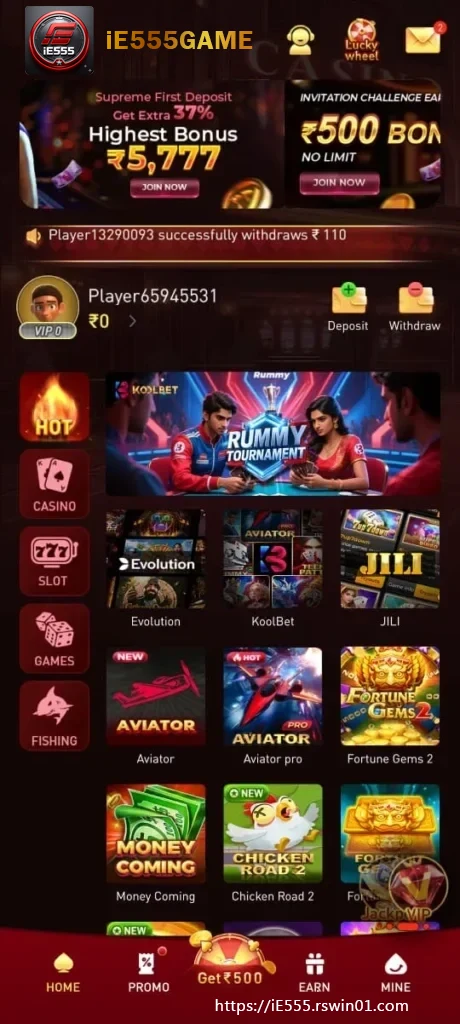
Start in a private setting
Use your own phone or one that can be locked after the session. Confirm the network is stable and the active Indian mobile number can receive messages. Review age and location conditions before entering personal information. If the platform needs identity evidence, provide it only through the verified ie555 interface. Do not send documents to an unofficial agent who appears in a social chat or asks to complete the form remotely.
Check the number before requesting a code
Select the right country option if the form includes one, then read every digit back. A message can arrive slowly on a busy network. Repeated requests may invalidate the earlier code, so use the newest message and enter it only into the registration screen you opened. Verification proves control of the number for this step. It is not a code to share with support, a promoter or anyone promising faster approval.
Give the account its own password
Create a long password that is not used for email, banking or another game service. Supported combinations of words, numbers and symbols can improve resistance to guessing. Avoid names, birthdays and repeated short sequences. A reputable password manager offers safer storage than an unlocked note or gallery screenshot. If ie555 presents an additional security feature, understand its recovery process before relying on it.
Separate required consent from optional choices
Read every checkbox. Some acknowledge the core terms or privacy notice, while others can relate to marketing preferences. Do not assume they are all mandatory. If a welcome offer is displayed, open its eligibility, activation, expiry and qualifying conditions. Registration and promotion are separate decisions. Creating access does not make every offer suitable, and leaving an optional campaign unselected should not be confused with an incomplete account.
Inspect the account before using the lobby
After confirmation, check the recorded mobile number and profile details. Locate password settings, activity history, support and sign-out. This orientation creates a known route if a later transaction or session needs review. Correct a permitted mistake promptly rather than creating a duplicate account. Spend the first visit understanding the dashboard and current ie555 notices instead of rushing directly into a game.
Use the official recovery flow later
Bookmark the trusted entry and sign out on devices shared with other people. If the password is forgotten, begin from the recovery option visible on the current ie555 page. Complete ownership checks through that route and allow time for authorised processing. Ignore messages asking for payment, a password or an OTP to restore access. Legitimate account recovery does not require transferring control of the handset to a stranger.